Table of Contents
Introduction
If you are intrigued by the ideas of gaming modding, custom skins, or Source Engine games, then you are probably familiar with the term “VTF file”. One thing that many beginners find difficult while manipulating game textures and customizing the game is the fact that source engine games do not support regular image formats like PNG and JPG.
This is because source engine games use the specialized format known as VTF (Valve Texture Format).
It is essential to understand what a VTF file is all about in case you wish to develop your skills at customizing, improving, skinning, and creating assets for games like Counter Strike: Source, Team Fortress 2, Garry’s Mod, and Half Life 2.
In the following sections, we will take a look at VTF files and their significance in great detail.
What Is a VTF File?
VTF stands for Valve Texture Format. The term refers to an image file format that was created by Valve Corporation and is used for Source Engine.
As opposed to ordinary image formats like PNG or JPG, the purpose of a VTF file is rendering textures in games. They are designed to be used for displaying textures within Source Engine-based video games.
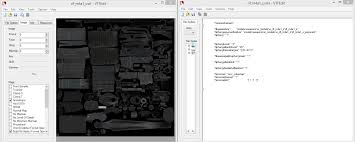
What Is a VTF File? Everything You Need to Know
Textures may include such things as:
• Weapon skins
• Character models
• Environment textures
• Walls and surfaces
• Logos and decals
• User interface
• Map textures
In other words, VTF files contain information about how game textures should look.
Source Engine-based games cannot display customized images without VTF files.
What Does VTF Stand For?
VTF = Valve Texture Format
Valve developed this format to enhance the handling and management of textures and boost performance in games.
Games that use VTF can:
• Faster load of textures
• Efficient compression
• Transparency
• Graphics performance
• Memory saving
For these reasons, Valve decided to use VTF files in their Source engine games.
Which Games Use VTF Files?
A lot of famous games use VTF files.
Among them:
Counter Strike: Source
In Counter Strike, weapon skins, spray and map textures need VTF files.
Team Fortress 2 (TF2)
TF2 modders use VTF files for cosmetic changes, HUD modification and skins.
Garry’s Mod
Custom map, material, game assets need VTF files.
Half Life 2
Environmental and object textures of Half life 2 are in VTF format.
Left 4 Dead
Visual modding of Left 4 dead requires custom made VTF textures.
Portal
Custom textures of portals use VTF.
If you decide to mod one of these games, learning about VTF is very important.
What Makes VTF Files Special?
You might be asking yourself why games don’t just make use of PNG or JPG files.
The reason is optimization.
More Efficiency
The main purpose of VTF files is to allow real-time rendering during gaming.
They will ensure that there is no lag and that texture loading is done efficiently.
File Compression
There are many textures required when designing a game.
VTF offers efficient compression without any significant reduction in quality.
Alpha Transparency
Most texture files require transparency in their background.
Alpha transparency allows the use of VTF files in skins and decals.
Mip Maps
VTF file format provides the capacity to add mipmaps.

Differences between PNG and VTF
Differences between PNG and VTF
It is common for beginners to confuse PNG and VTF.
Below is a comparison that you can understand easily.
PNG File Format
The PNG file format is simply an image format.
It is best for:
• Image editing
• Graphics designing
• Transparency
• Superior visuals
PNG files are not supported by Source Engine games, except in rare instances.
VTF File Format
VTF file format is a game texture format.
It is best for:
• Game modding
• Compatibility with Source Engine
• Fast rendering
• Optimization of performance
That is why modders prefer to design their textures using the PNG format first before converting them to VTF format.
Usage of VTF Files
There are numerous uses of VTF files in games.
Custom Weapons Skins
Gamers create customized looks for their weapons.
Custom Character Texture
Texture artists modify characters’ look and feel.
Game Map
Map makers apply VTF textures on walls, roads, floor, and buildings.
UI Mods
Modders can design user interfaces using the VTF files.
Logos & Decals
Sprays created using the VTF files are common among gamers.
Can You Open a VTF File?
Yes.
But standard picture viewers typically do not support opening VTF files.
You may require special programs or website converters.
Common options are:
• VTF viewers
• Texture tools for Source Engine
• Site converters
If you just want an instant conversion, website converters will be your easiest choice.
PNG to VTF Conversion Process
All custom textures typically start as PNG files.
You have to turn them into VTF files to use them in games.
This is how.
Step 1: Prepare PNG File
Ensure that:
• It is of good quality
• The resolution matches
• The file is clear on transparency
Common resolutions are:
• 256×256
• 512×512
• 1024×1024
Step 2: Go to pngtovtf.com
Navigate to pngtovtf.com on your computer.
Step 3: Select PNG
Pick your PNG file.
Step 4: Convert
Hit the convert button.
The system will handle the process.
Step 5: Download Your VTF Texture
Upon completion, download your VTF file.
It will work in any compatible Source Engine games.
VTF File Issues You Might Encounter
Novice users may come across some difficulties.
Here are typical issues and how to fix them.
Texture Is Not Visible
Reasons:
• Incorrect file location
• Lack of VMT file
• Improper texture properties
Blurred Texture
Go for high-resolution PNG images.
Alpha Channel Issues
Enable alpha channels in your file.
Large File Size
Compress your texture.
What is VMT File?
If you are using VTF textures, you will hear about VMT files as well.
VMT file is called Valve Material Type file which is used by the game to process the texture.
Here are some examples:
• VTF = Image of Texture
• VMT = Instructions for Texture
In many cases, without VMT file, textures will fail to load inside the game.
Why Choose pngtovtf.com?
There are plenty of reasons to use pngtovtf.com.
Easy for Newbies
No need for special software.
Quick Conversion
Your images can be converted in just few seconds.
Absolutely Free
It does not cost you anything.
Online Service
No installation required.
Secure Processing
All your files will be processed safely.
No matter whether you are making TF2 cosmetics or Garry’s mod textures.
FAQs
Is VTF better than PNG?
Yes, VTF is more suitable for Source Engine games.
Can I edit VTF?
Yes, though most people edit PNGs first and then convert them.
Can I revert from VTF back to PNG?
Yes, some converters allow reverse conversions.
Are VTF files used for other games besides Valve games?
For the most part, no. VTF is used mainly by Source Engine games.
Is pngtovtf.com free?
Yes, the website converts your PNG files to VTF for free.
Conclusion
VTF files are a crucial element for Source Engine games. They help the games load textures effectively and efficiently.
It’s crucial that anyone interested in modding games like Team Fortress 2, Garry’s Mod, and Counter Strike: Source learn about VTF files.
Converting PNG to VTF is not difficult –
design your texture → save as PNG → convert to VTF → insert into game
In place of using cumbersome software, beginners can simply use a web-based converter site like pngtovtf.com.
Get started designing custom textures for your Source Engine experience now!